Agency Growth & Management·
Scaling Without Friction: The 2026 Agency Guide to Managing Multiple WordPress Sites

Karl Esi
WordPress Engineer & Founder·WP Stability
The Agency Paradox: More Clients, More Problems?
For a growing digital agency, every new client is a victory for the sales team but often a headache for the technical team. Managing a handful of sites is manageable; managing fifty or a hundred is a logistical nightmare. Without a unified strategy, your developers spend 80% of their time on repetitive "janitorial" tasks—updating plugins, checking for 404s, and manually generating reports—instead of high-value billable work.
In 2026, the gap between profitable agencies and those struggling to stay afloat is defined by their "Operational Efficiency." By moving from manual site-by-site management to a Scaling WordPress for Viral Traffic Spikes 2026 mindset, you can turn maintenance from a cost center into a predictable, high-margin revenue stream.
The Problem: The High Cost of "Invisible" Work
The biggest threat to agency profitability is "maintenance creep." Clients often assume that minor updates, small fixes, and security monitoring are just "part of the package." When these tasks aren't formalized into a Care Plan, they become unbilled hours that eat into your project margins.
Furthermore, manual management is prone to human error. One missed security patch on a low-priority client site can lead to a cross-site contamination that affects your entire server. You need a strategy that provides WordPress Troubleshooting and Critical Error Fixes at scale.

Deep Dive: The Pillars of Modern Site Management
1. Centralized Command Centers
Logging in and out of individual WordPress dashboards is a relic of the past. Modern agencies use tools like MainWP, ManageWP, or WP Umbrella to manage their entire fleet from a single screen. This allows for bulk updates, global security scans, and unified uptime monitoring.
2. AI-Assisted "Update Copilots"
In 2026, we don't just "Update All." We use AI agents that perform visual regression testing in a staging environment before the live site is touched. These agents take a "before" and "after" snapshot of the site and automatically halt the update if a button moves by even a few pixels. This is the heart of a professional WordPress Update Compatibility and Staging Workflow.
3. White-Label Client Portals
Transparency is the key to client retention. By providing a white-label dashboard, you allow clients to see their site's health, performance scores, and recent updates without them ever needing to touch the WordPress backend. This makes your value visible and justifies your monthly recurring revenue (MRR).
4. Automated "Smart" Reporting
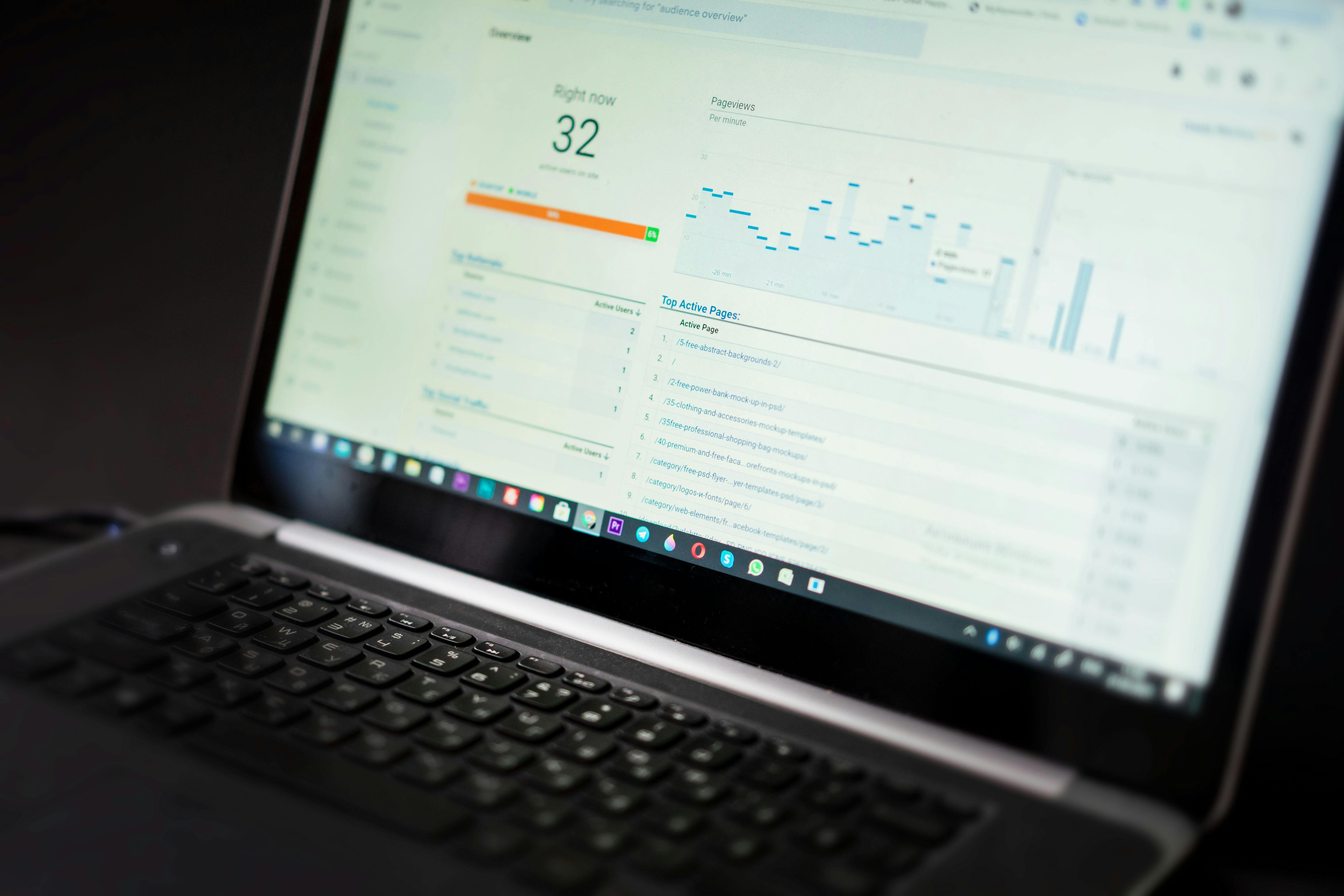
Clients don't want to see a list of updated plugins; they want to see "100% Uptime," "Zero Security Threats," and "20% Faster Load Times." Automated reporting tools pull data from Google Analytics and PageSpeed Insights to create professional, brand-aligned PDFs that arrive in the client's inbox every month like clockwork.
Strategic Maintenance: The Agency "Care Plan"
To scale, you must move away from "break-fix" work and toward "Care Plans." A standard 2026 Care Plan includes:
- Security Hardening: Real-time threat detection and a "hacker-free" guarantee.
- Performance Audits: Regular checks against Core Web Vitals to ensure Technical SEO for WordPress Optimization remains top-tier.
- Content Edits: Allotting a specific number of "small task" hours to prevent unbilled work.
- Disaster Recovery: Hourly database backups and daily file backups stored off-site.
Common Agency Management Mistakes
Managing Sites on Different Hosts
If your fifty clients are spread across ten different hosting providers, your maintenance overhead doubles. Encouraging (or requiring) clients to move to a standardized hosting environment simplifies your workflow and improves security.
Giving Clients Full Admin Access
The "too many cooks" problem is real. Clients often install "shiny" plugins that conflict with your optimized stack. Restrict client access to an "Editor" role or use a custom dashboard to protect the site from accidental breakage.
Ignoring Accessibility as a Recurring Task
Accessibility isn't a one-time fix. As clients add content, they might forget Alt Text or use incorrect heading structures. A modern agency includes WordPress Accessibility and ADA Compliance 2026 checks in their monthly routine.
How WP Stability Empowers Your Agency
At WP Stability, we act as the "White-Label Partner" for agencies that want to offer elite maintenance without the overhead of hiring a full-time DevOps team. We provide the infrastructure, the security expertise, and the 24/7 monitoring that allows your agency to scale confidently.
Whether you need a partner to handle WordPress Malware Removal and Security Hardening or someone to manage your fleet's staging deployments, we provide the technical muscle behind your brand.
Real-World Case Study: From Chaos to Clarity
A design agency was losing 15 hours a week to "emergency fixes" on client sites they had built but weren't officially maintaining. We helped them implement a three-tiered Care Plan system and moved their sites to a centralized management dashboard. Within three months, their "unbilled" hours dropped to zero, and they added $4,500 in predictable MRR.
Action Plan: 5 Steps to Professionalize Your Fleet
- Inventory Your Sites: Create a master list of every site your agency is "responsible" for.
- Centralize Control: Connect all sites to a single management dashboard.
- Define Your Tiers: Create 2-3 maintenance packages (e.g., Basic, Professional, Enterprise).
- Automate Your Reports: Stop creating reports manually. Set up an automated monthly email for every client.
- Audit Your Security: Ensure every managed site has 2FA and off-site backups enabled.
Closing CTA
Your agency’s growth shouldn't be limited by your manual capacity. By professionalizing your site management, you turn technical overhead into a strategic asset.
Is your agency struggling to keep up with client site maintenance? Partner with WP Stability and let us handle the technical heavy lifting while you focus on scaling your creative vision.
Share